


A Change in How You Work, Not a New System
Before getting into the detail, it's worth being clear about what NetSuite Next is not. It is not a new instance, a data migration, or a new purchase. Your data model, roles, permissions, and security all stay exactly the same. What changes is the interface layer sitting on top, a new way of navigating, searching, and interacting with the NetSuite you already run.
It's also worth naming the human side of this early. Most AI adoption challenges are people-related rather than technical, and a bit of hesitation about a change like this is completely normal. That hesitation tends to fade with familiarity and time, not by avoiding the conversation.
What Changes by Role
What you'll notice first depends a lot on your role.
-
End users (AP clerks, sales reps, CFOs): a new navigation experience built around search-driven interaction with Ask Oracle
-
Power users (controllers, accountants, analysts, operations staff): easier access to records, but new workflows and navigation habits to learn
-
Administrators: everything above, plus validating workflows and scripts, keeping documentation current, and leading team adoption
Across all three, expect to feel a little slower to begin with. Old habits take a moment to unwind, and like any AI tool, the quality of the questions you ask shapes the quality of what you get back.
Hotspot 1: Centre Navigation vs the Toolbar
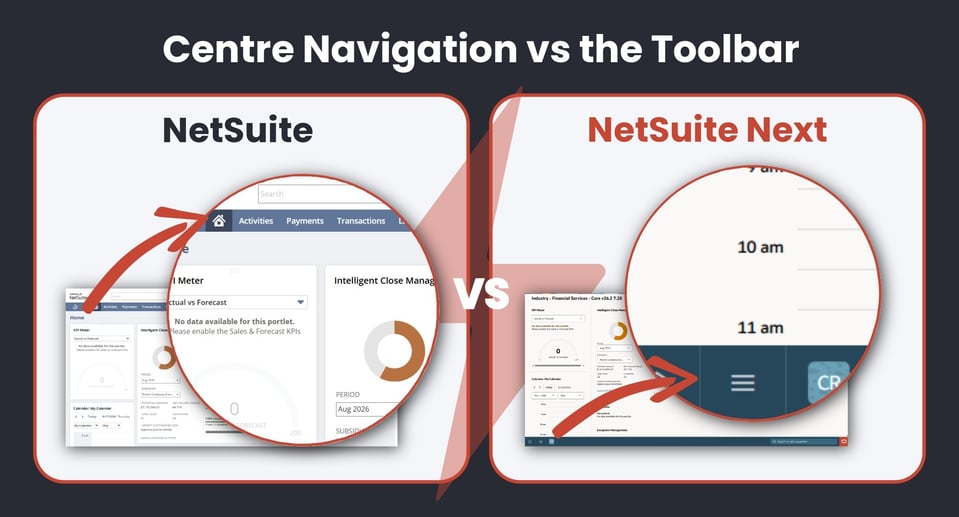
Today, the centre banner at the top of the screen is command central: finding records, transactions and reports, and personalising the dashboard with portlets. In NetSuite Next, that banner is gone. Everything now lives in a navigation bar at the bottom of the screen, with the centre tucked under a menu icon. Dashboard personalisation, shortcuts, and portlets are all still available, and there's a new global filter that makes switching between subsidiaries far simpler than setting up a subsidiary navigator portlet.
Hotspot 2: Global Search vs Search and Ask Oracle
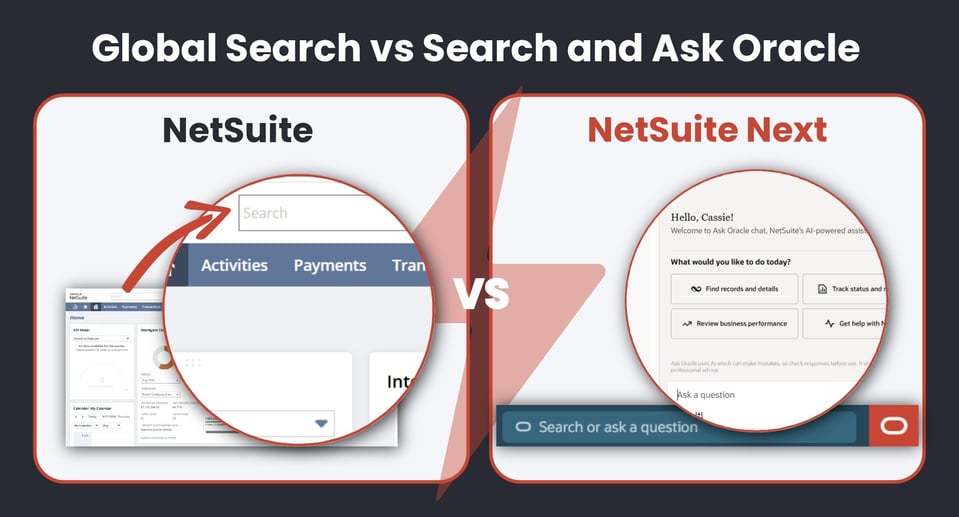
Refining a search today means using prefixes, the first three letters of a record type followed by a colon, and it needs exact spelling. In NetSuite Next, search is considerably more forgiving. It handles typos and fuzzy matches, still supports prefixes for anyone used to them, and surfaces more context directly in the results, a contact's phone number, for example, right there in the search panel.
Hotspot 3: Recent Records and Quick Links
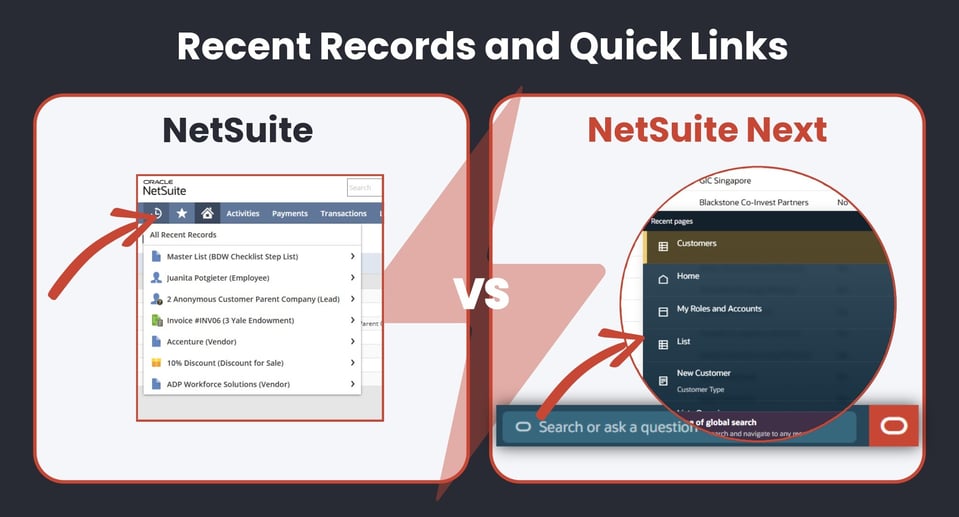
In NetSuite Next, search doubles as a shortcut to your recent activity. Click into it before typing anything, and recent pages appear immediately, the same list previously accessed from the clock icon, just found in a different spot. It's also available from the menu.
Hotspot 4: Shortcuts and the Create New Menu
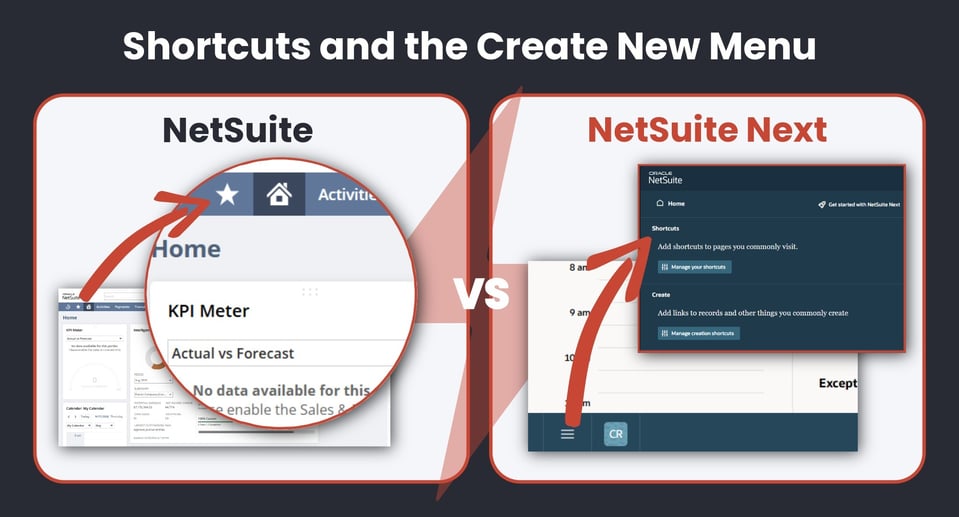
Shortcuts and Create New haven't disappeared, they've moved. Both now live inside the menu icon, in their own sections. It's an extra click compared to today, but the functionality is intact, and a shortcuts portlet can still be added to the dashboard for anyone who'd rather have it front and centre.
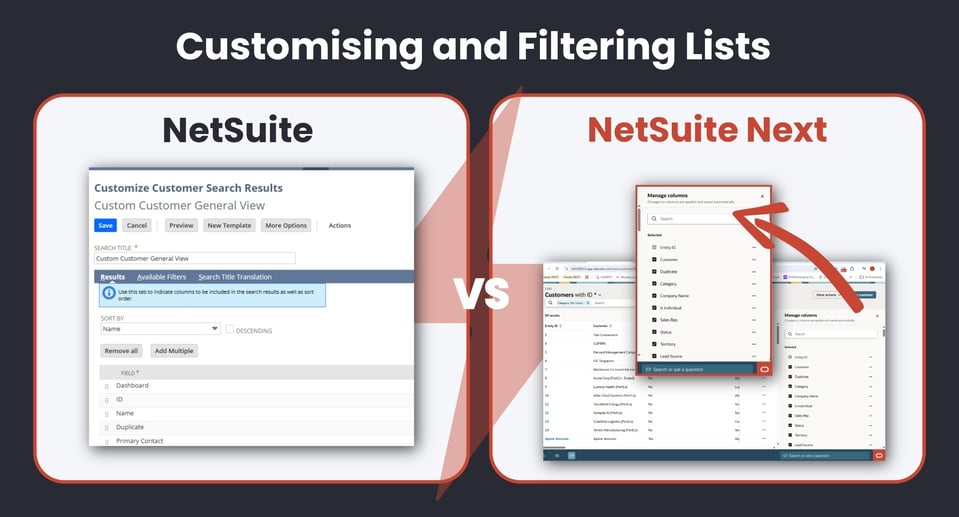
Hotspot 5: Customising and Filtering Lists
This is genuinely one of the better changes. Rather than customising a list view through a saved search screen, columns and filters can be applied directly on the list, in real time, without needing to know what a saved search even is. Filters are sticky, so they stay applied until changed.
Hotspot 6: User Menu to Profile Menu
What used to be the user menu in the top right has moved to the bottom left and is now the profile menu. It still handles role switching, default roles and preferences, but it also now controls Ask Oracle permissions, since what Ask Oracle can do follows the role currently logged in. For teams that colour-code roles as a visual cue, that's now set through the avatar colour in appearance settings.
.jpeg?width=959&height=518&name=NetSuite%20Next%20Screen%20Shots-5%20(1).jpeg)
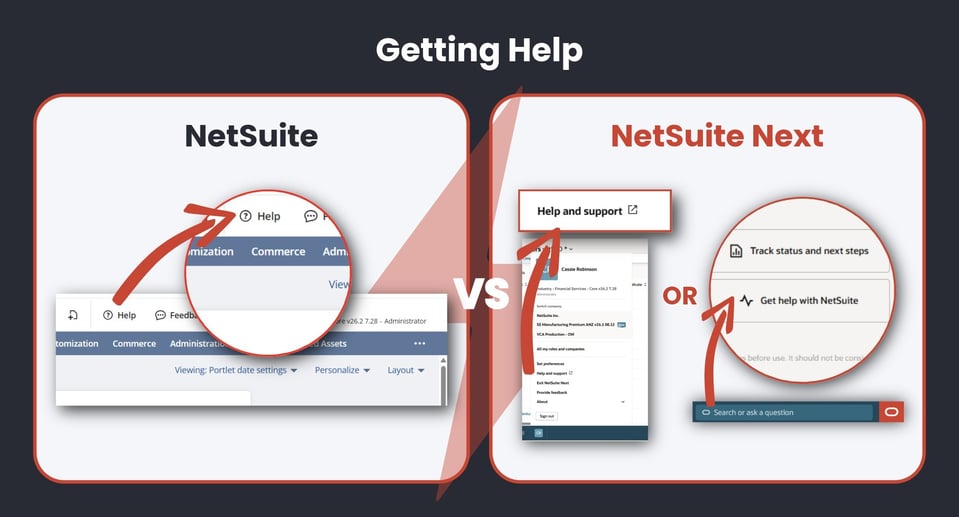
Hotspot 7: Getting Help
Field help, guided learning and the help centre are all still there. Two useful changes: Suite Answers is merging into the Help Centre, so a single search surfaces both article and troubleshooting content, and Ask Oracle itself can now answer questions directly and link through to the right help article.
You Can Switch Back, Any Time
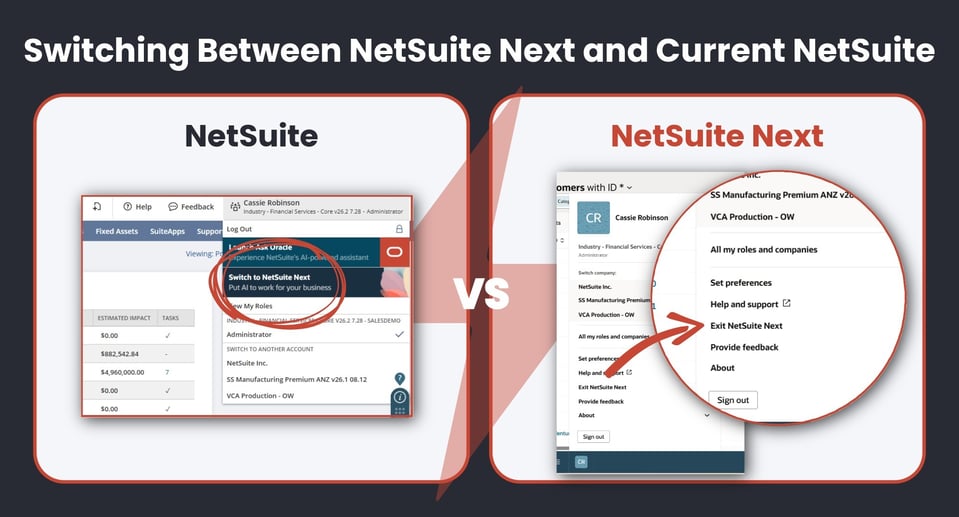
One of the most reassuring parts of this rollout: switching isn't all-or-nothing. Teams can toggle between NetSuite Today and NetSuite Next whenever they need to. Busy period, like month end? Switch to the familiar interface and get it done, then switch back to NetSuite Next once things are quieter. Nobody has to make this change cold, and nobody should feel forced into it before they're ready.
See It In Action
We've embedded a short walkthrough below, showing exactly where each of these hotspots live in the NetSuite Next environment.
If you'd like to talk through what this means for your specific environment and roles, the Project Salsa team is happy to walk through it with you.
Frequently Asked Questions
What actually changes when I move from NetSuite to NetSuite Next?
The underlying data model, roles, and permissions all stay the same. Some of the key changes with the interface are: centre navigation moves to a bottom toolbar, global search becomes more forgiving and works alongside Ask Oracle, and list views can be customised directly without building a saved search.
Do I have to switch to NetSuite Next straight away?
No. Teams can toggle between NetSuite Today and NetSuite Next at any time, so there's no need to switch cold or all at once. Many teams ease in gradually, switching back to the familiar interface during busy periods like month end.
Does what changes depend on my role?
Yes. End users will notice a new, search-driven way of finding information. Power users will need to adjust existing workflows and navigation habits. Administrators carry the added responsibility of validating workflows and scripts and leading adoption across the team.
Is NetSuite Next available now?
NetSuite Next features are part of Oracle's ongoing product roadmap and are being rolled out over time. Contact Project Salsa to confirm what is on the near-term release schedule for your NetSuite edition.
Important to note: NetSuite Next features represent Oracle's current product direction and roadmap. Feature availability and rollout timing may vary. Contact Project Salsa for the most current information on what is available in your edition.